How Do Salesforce Admins Set Up and Maintain Pimly Without Outside Consultants?
.svg)
Can a Salesforce Admin actually configure and run Pimly without bringing in a consultant or systems integrator every time something needs to change? For a team evaluating a native PIM — especially a team that's used to an external tool bolted onto Salesforce — this is usually the first real question once the vision pitch is over, and it's the right one to ask before signing anything.
The short answer: yes, because Pimly runs as a native package inside the Salesforce org the admin already manages. Configuring Pimly Product Intelligence and the underlying catalog means using tools an admin already knows — permission sets, page layouts, flows, list views — not a separate platform, a separate login, or a custom development project. Deployment happens in weeks, and ongoing maintenance is handled efficiently by the system admin, not a recurring vendor engagement.
Compare that to the more familiar pattern with an external, standalone PIM. The admin doesn't own the data model — the vendor or its implementation partner does. A taxonomy change, a new attribute group, a permission update: each one becomes a ticket in someone else's queue, with its own timeline and its own invoice. Six months after go-live, the admin who's supposed to own the system still can't make a routine change without picking up the phone.
This piece is for the person who actually has to live with that decision after the deal closes — the Salesforce Admin or IT Lead who will own configuration, governance, and day-two maintenance, not just the VP who approved the budget.
Key takeaways
- Salesforce Admins configure and maintain Pimly using standard Salesforce admin skills — permission sets, flows, page layouts, list views — with no separate console, no custom development, and no standing dependency on an outside consultant for routine changes.
- Pimly deploys as a native package inside the org already in place, so initial setup takes weeks, not the 6-9 months typical of a custom integration project for an external PIM.
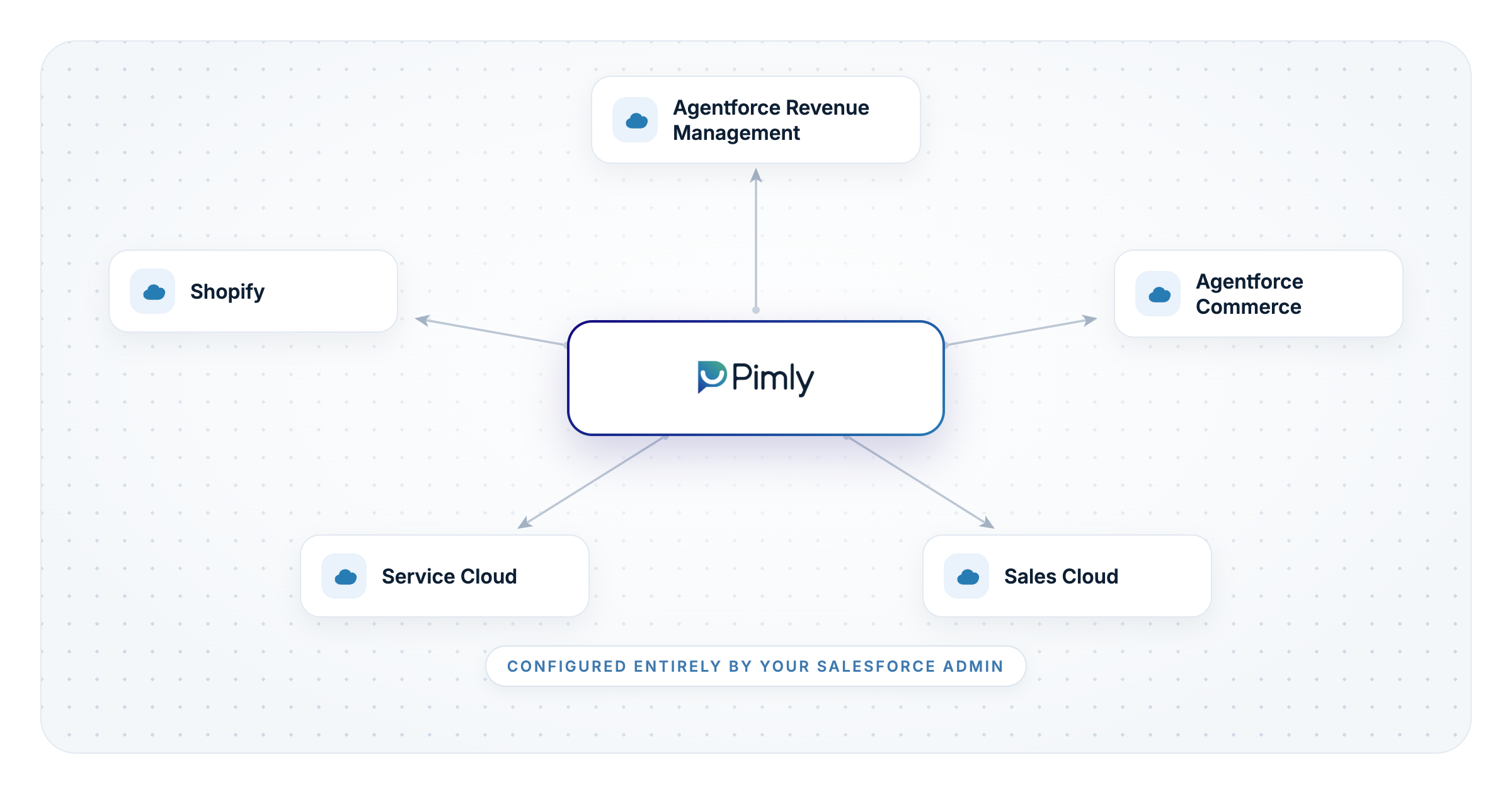
- SmartSync, the layer that keeps Agentforce Revenue Management, Agentforce Commerce, Sales Cloud, Service Cloud, and Agentforce itself on the same governed catalog, is managed as a set of configurations inside Pimly — not a set of separate integration projects with separate maintenance contracts.
- Ongoing admin work — catalog updates, governance rules, user permissions, SmartSync job monitoring — happens inside the same Salesforce environment the admin already administers every day.
- Even when an external PIM's integration into Salesforce works, it typically covers only a subset of the product catalog and still routes changes through the vendor — Pimly removes that dependency entirely.
See what configuring Pimly actually looks like inside your own Salesforce org — book a demo.
What does "clicks, not code" mean for an admin?
How do Salesforce admins set up and maintain a native PIM without outside consultants? They do it the same way they administer any other application in their org: through permission sets, page layouts, flows, and list views — because Pimly's catalog, governance rules, and configuration options live as standard Salesforce metadata, not behind a separate vendor login.
That distinction matters more than it sounds. With an external PIM, the admin's Salesforce skills stop being useful the moment they cross into the PIM's own admin console — a different data model, a different permissions system, often a different vendor-managed environment entirely. With Pimly, there's no second system to learn. Catalog structure, attribute groups, and governance rules are configured the same way an admin already configures any other part of the org.
That's what "clicks, not code" means in practice: no Apex development, no custom middleware, and no dependency on a developer or consultant for the changes an admin would normally expect to make themselves — adding an attribute, adjusting a governance rule, updating who can approve a catalog change.
What does initial deployment involve?
Deployment starts with three things: pulling product data in from wherever it lives — an ERP, a PLM, spreadsheets, or possibly even an external PIM — organizing it into a governed catalog structure, and configuring where it needs to distribute. None of that requires a drawn-out, multi-quarter rollout.
And if the team's first reaction is "our product data already lives in the ERP," see why an ERP isn't enough for sales and service teams — the deployment starts from that data rather than replacing it.
A custom integration project connecting an external PIM to a Salesforce org can run 6-9 months, and every week of that timeline is a week the ARM or Commerce rollout it depends on can't fully go live either. Because Pimly is native, that dependency disappears — a Salesforce Admin or IT Lead configures the catalog structure and SmartSync targets directly, typically alongside Pimly's own deployment team rather than a standing consultant engagement running the project end to end.
Try our Free Product Data Grader to see how ready your current product data is for a deployment like this.
Manufacturers who've made this comparison directly feel it in payback speed, not just deployment speed — W.S. Darley & Co evaluated external PIM options before choosing Pimly and reached a nine-month payback, a number that's only possible when the implementation itself doesn't eat most of a year first.
What does day-to-day maintenance look like once Pimly is live?
This is the question that matters most a year in, and the one external PIM evaluations tend to gloss over. Day-to-day, a Salesforce Admin's Pimly responsibilities break down into four buckets: SmartSync job management, catalog updates, governance rules, and user permissions — all inside the Salesforce environment they already administer.
SmartSync job management means watching Sync Monitor for real-time job status, using Scheduled Sync to automate catalog refreshes, and responding to Job Alerts when a record-level issue would otherwise reach a live quote or storefront before anyone caught it — with Smart Fix suggesting the correction. None of this requires opening a ticket with an outside team.
Guide: choosing the best PIM for companies already on Salesforce covers this exact distinction: every SmartSync job that keeps Agentforce Revenue Management (ARM), Agentforce Commerce, Sales Cloud, Service Cloud, and Agentforce on the same governed catalog is a configuration an admin can see, schedule, and troubleshoot directly — never a separate integration project run by a vendor's team on a vendor's timeline. We even use the same SmartSync technology to ship your governed, structured product catalog to Shopify, for the admin managing a storefront that isn't running on Agentforce Commerce.
Catalog updates and governance rules work the same way: new attribute groups, updated approval workflows, permission changes for a new hire on the catalog team — all standard Salesforce configuration, all inside the admin's existing toolkit. Teams typically report spending 4x less time on this kind of routine product-data maintenance once it's centralized in a single governed system instead of split across an external PIM, spreadsheets, and manual exports.
Why native beats an integration layer for the team that has to maintain it
The real question isn't whether an external PIM can technically connect to Salesforce — most of them can. It's who owns that connection once it's live, and what it costs every time either system changes. How Pimly solves product data challenges in Salesforce is direct about this: even a working integration typically syncs only a subset of the catalog into Salesforce, leaving Agentforce, Sales Cloud, and Service Cloud working from incomplete data — and every schema change on either side risks breaking the mapping again.
Pimly removes that layer entirely: no external system to reconcile against, no mapping to maintain, no vendor to call when a field needs to move. The enterprise team or manufacturer evaluating Pimly is really evaluating whether their own Salesforce Admin can own this system long-term — and for a native package configured with standard Salesforce tools, the answer is yes, from day one.
The same logic cuts the other way when the proposal is to build rather than buy: an AI coding tool can generate a product object model in days, but the governance logic an admin maintains here is the part that took real software years to accumulate.
When the team that owns the platform can deploy and maintain it without waiting on outside help, the front office feels it fastest: every rep becomes a product expert — answering confidently, quoting accurately, and winning more deals — because the system underneath them never has a backlog of consultant tickets standing between a data problem and its fix.
Would you like to see how fast your own team could get this live? Try the free Product Data Grader first, or go straight to a demo.
Frequently asked questions
What does it mean for a PIM to be "native" to Salesforce?
A native PIM runs as a managed package inside the Salesforce org itself, using Salesforce's own data model, permissions, and configuration tools rather than a separate platform connected by an integration. For Pimly, that means the product catalog, governance rules, and user permissions are all standard Salesforce metadata an admin already knows how to configure. The practical outcome is that there's no second system to learn, secure, or maintain alongside Salesforce.
What does a Salesforce Admin need to know to configure Pimly?
An admin needs the same skills they already use to configure any other part of their Salesforce org: permission sets, page layouts, flows, and list views. Pimly's catalog structure, governance rules, and SmartSync targets are all configured through these standard tools, not through custom Apex development or a separate vendor console. That's what makes ongoing changes — a new attribute group, an updated approval rule — something the admin can do directly rather than something that requires a developer or outside consultant.
How is maintaining Pimly different from maintaining an external PIM integration?
With an external PIM, the admin typically doesn't own the underlying data model or the integration that connects it to Salesforce — the vendor or an implementation partner does, and changes route through their process and timeline. With Pimly, every piece of ongoing maintenance — SmartSync job management, catalog updates, governance rules, user permissions — happens inside the same Salesforce environment the admin already administers daily. There's no external system to reconcile, and no mapping between two platforms that can silently break when either one changes.
Why isn't an integrated, non-native PIM enough for ongoing admin control?
Even when an external PIM's connection to Salesforce works well on day one, it's still an integration the admin doesn't fully control, and it typically syncs only a subset of the product catalog into Salesforce rather than the whole thing. That means Agentforce, Sales Cloud, and Service Cloud are all working from incomplete data, and every schema change on either side risks breaking the mapping again. A native architecture removes that dependency instead of managing around it.
How long does it take a Salesforce Admin to deploy Pimly without outside consultants?
Most Pimly deployments take weeks, not the 6-9 months typical of a custom integration project connecting an external PIM to Salesforce. That timeline holds because there's no separate platform to stand up and no custom integration layer to build — the admin configures Pimly using tools they already know, working alongside Pimly's own deployment team rather than a standing consultant engagement. Ongoing maintenance afterward is a standing admin responsibility inside Salesforce, not a recurring professional-services line item.