Your product data, inside the AI you already use.
Connect Claude, Claude Code, or Cursor to live, governed product records, so every answer your AI gives uses the real specs. Every request runs as you, with your permissions.
The Pimly MCP server, coming soon, is a secure connection between your team's AI assistant and your product data in Salesforce. Your AI does the thinking. Pimly Product Intelligence supplies the product truth.
The Pimly MCP server, coming soon, is a secure connection between your team's AI assistant and your product data in Salesforce. Your AI does the thinking. Pimly Product Intelligence supplies the product truth.
Book a Demo
Real specs in every AI answer.
Drafting a proposal in an AI tool usually means switching to Salesforce to check each spec, or trusting the AI to guess.
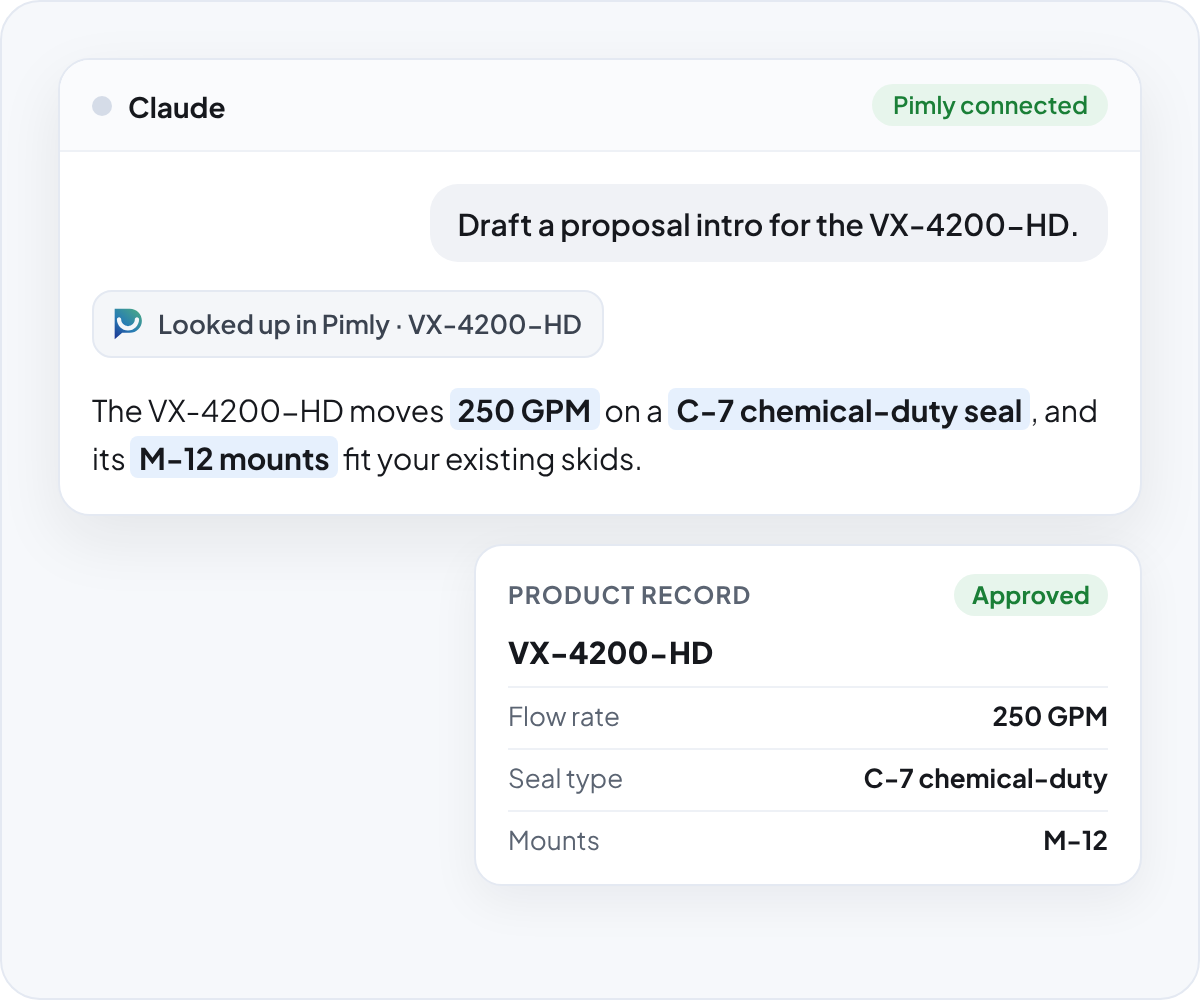
With Pimly connected, sales and marketing ask Claude for a product's specs and variants while they write. Claude looks them up in Pimly and uses the exact values from the product record, the same record everyone else in Salesforce reads.
With Pimly connected, sales and marketing ask Claude for a product's specs and variants while they write. Claude looks them up in Pimly and uses the exact values from the product record, the same record everyone else in Salesforce reads.
Update products without leaving your AI tool.
Look up, create, and update products, parents, and linked items from the AI tool you already have open. Search by conditions, or by meaning once semantic search is turned on, and get up to 200 records back at a time.
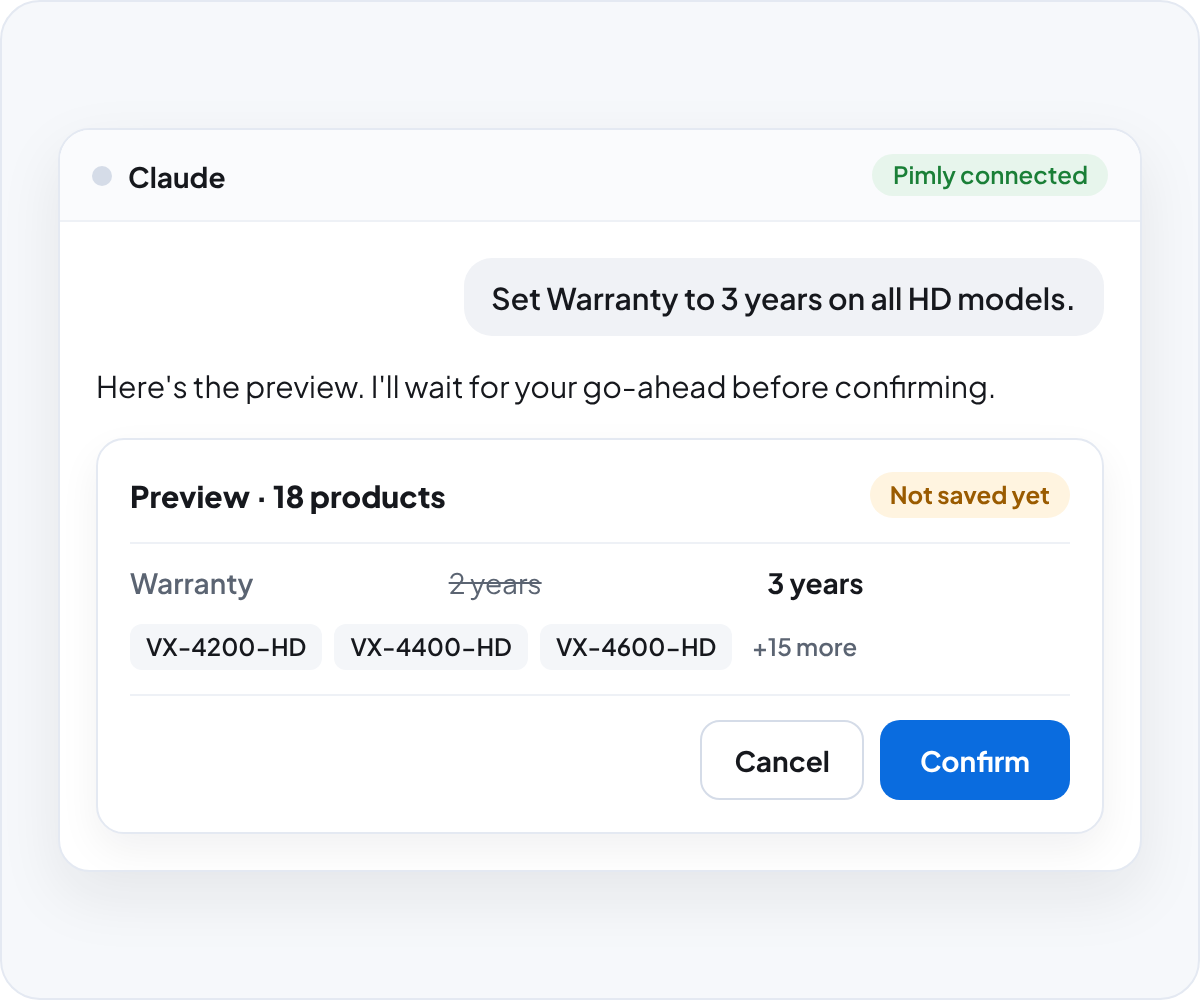
Every change starts as a preview. Pimly asks your AI tool to show you the preview and wait for your go-ahead before confirming. A single request can change up to 500 records.
Every change starts as a preview. Pimly asks your AI tool to show you the preview and wait for your go-ahead before confirming. A single request can change up to 500 records.
Configure Pimly from Claude Code or Cursor.
Setting up families, properties, and catalogs used to happen click by click in setup screens.
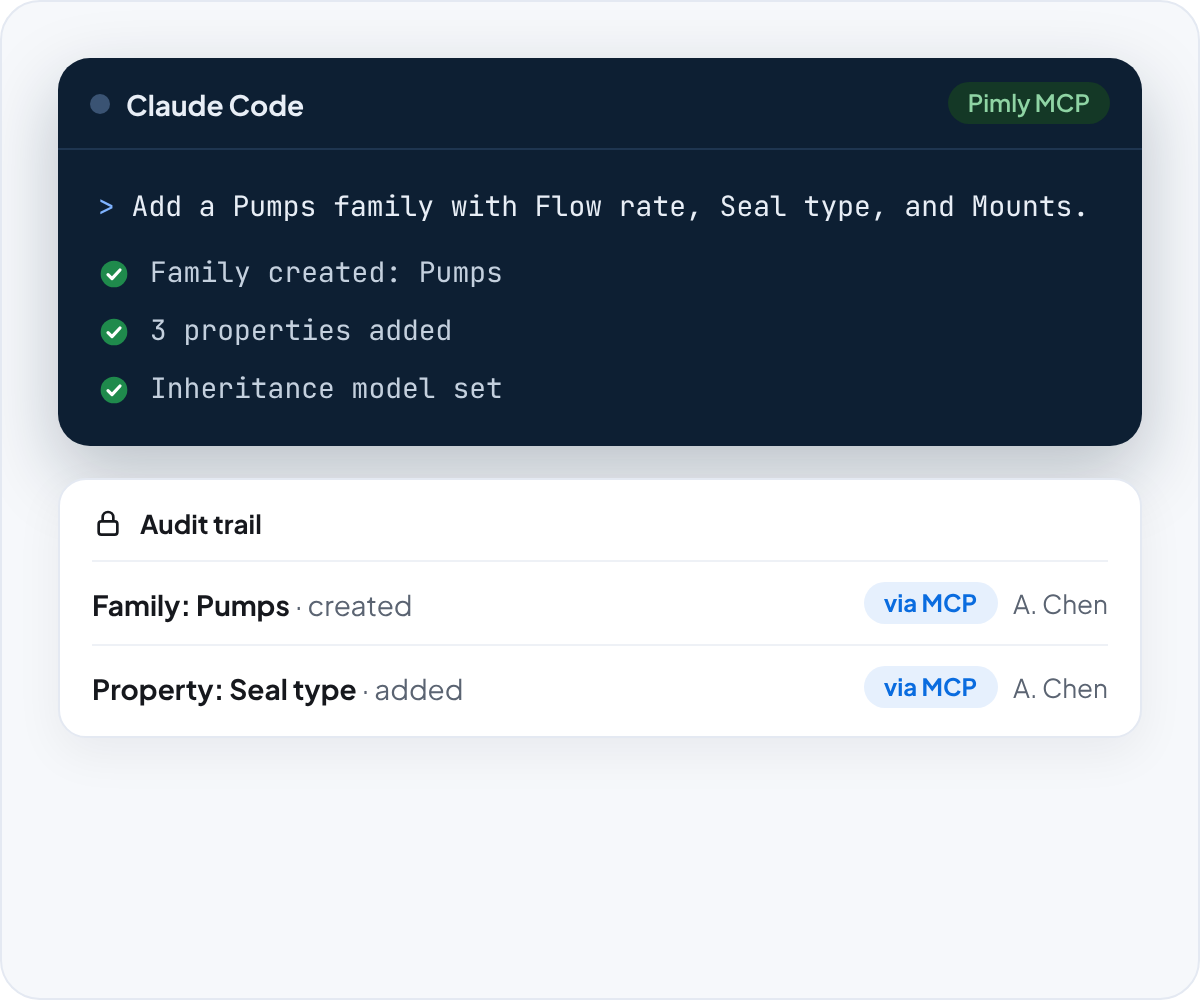
Admins and implementation partners can describe the model they want in Claude Code or Cursor. The AI tool creates and updates families, properties, inheritance models, catalogs, and categories through Pimly, and every confirmed change is recorded in the audit trail, marked as coming through MCP and naming the user.
Admins and implementation partners can describe the model they want in Claude Code or Cursor. The AI tool creates and updates families, properties, inheritance models, catalogs, and categories through Pimly, and every confirmed change is recorded in the audit trail, marked as coming through MCP and naming the user.
One source of product truth as your AI tools change.
When every AI tool gets its own copy of the catalog, the copies drift apart and nobody knows which answer is right.
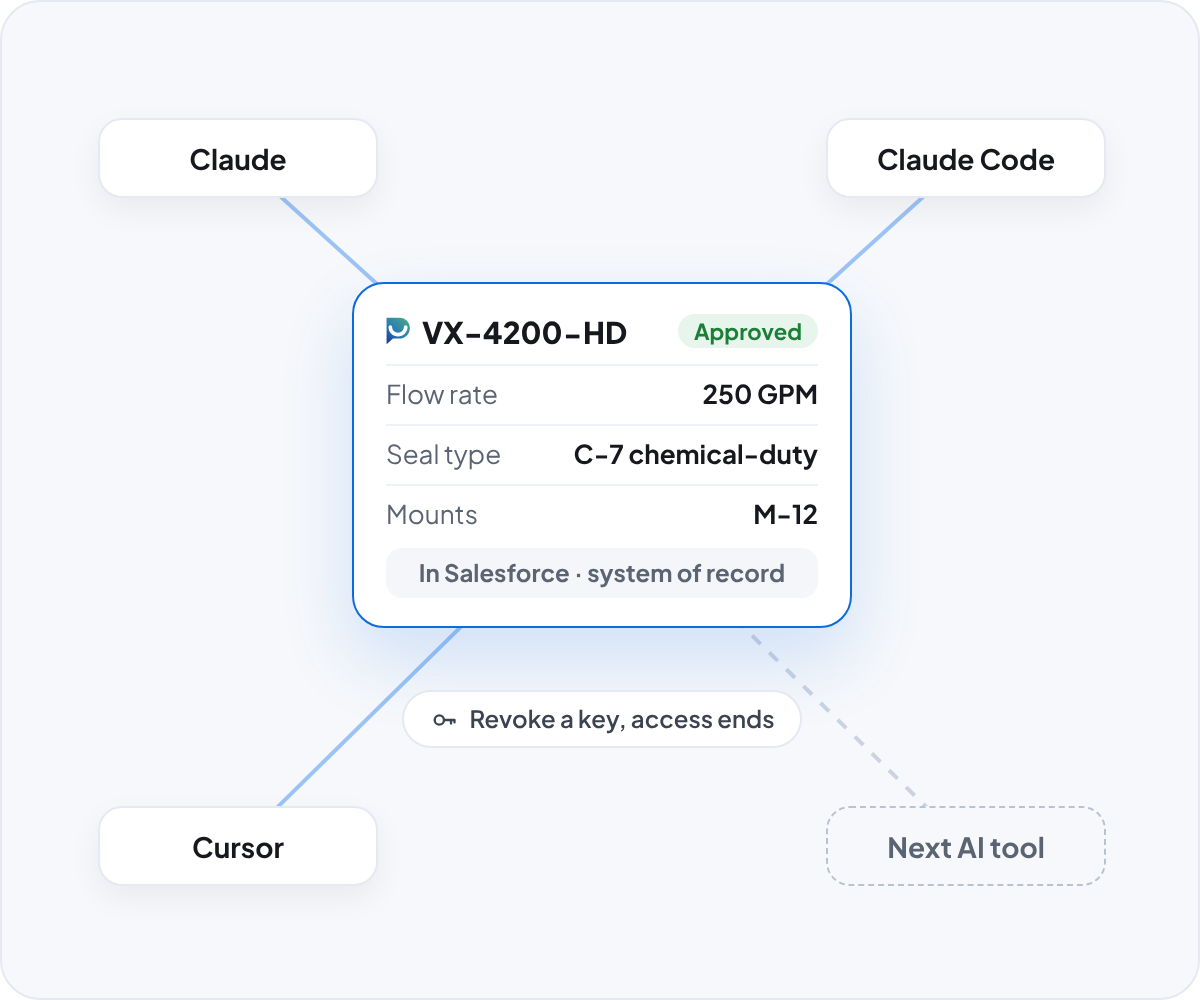
With Pimly, each AI tool you add connects to the same governed product data in Salesforce. Salesforce stays the system of record, and access is managed in one place: remove a user's key and their MCP access ends everywhere.
With Pimly, each AI tool you add connects to the same governed product data in Salesforce. Salesforce stays the system of record, and access is managed in one place: remove a user's key and their MCP access ends everywhere.
Governed by design

Runs as you
Every lookup and change runs under the signed-in user's own Salesforce identity, and Salesforce enforces their permissions. Read-only users can only look things up.

Keys stay with Pimly
Pimly's internal keys and Salesforce access tokens never reach your AI tool, and every request is verified before it touches your data.

Every change audited
Each confirmed change is recorded in the same tamper-evident audit trail as Vera's, marked as coming through MCP and naming the user who made it.
See Pimly working inside your AI tools.
Book a Demo
Frequently Asked Questions
MCP, short for Model Context Protocol, is an open standard that lets AI assistants connect to outside tools. The Pimly MCP server uses it to give your AI assistant secure access to your product data in Salesforce.
Claude (claude.ai, Claude Desktop, and Cowork), Claude Code, and Cursor work today. We'll add more AI tools to this list as we test them.
No. Pimly runs no AI model for MCP, and it logs which tool was used, by whom, and whether it succeeded, not what was asked or returned. Your prompts go to your AI provider under your own agreement with them.
It can't delete records, run background jobs, accept file uploads, or publish to channels. Requests over 500 records are declined, and larger changes belong in Vera or Pimly's import tools.
The Pimly MCP server is free while it's in limited availability.